
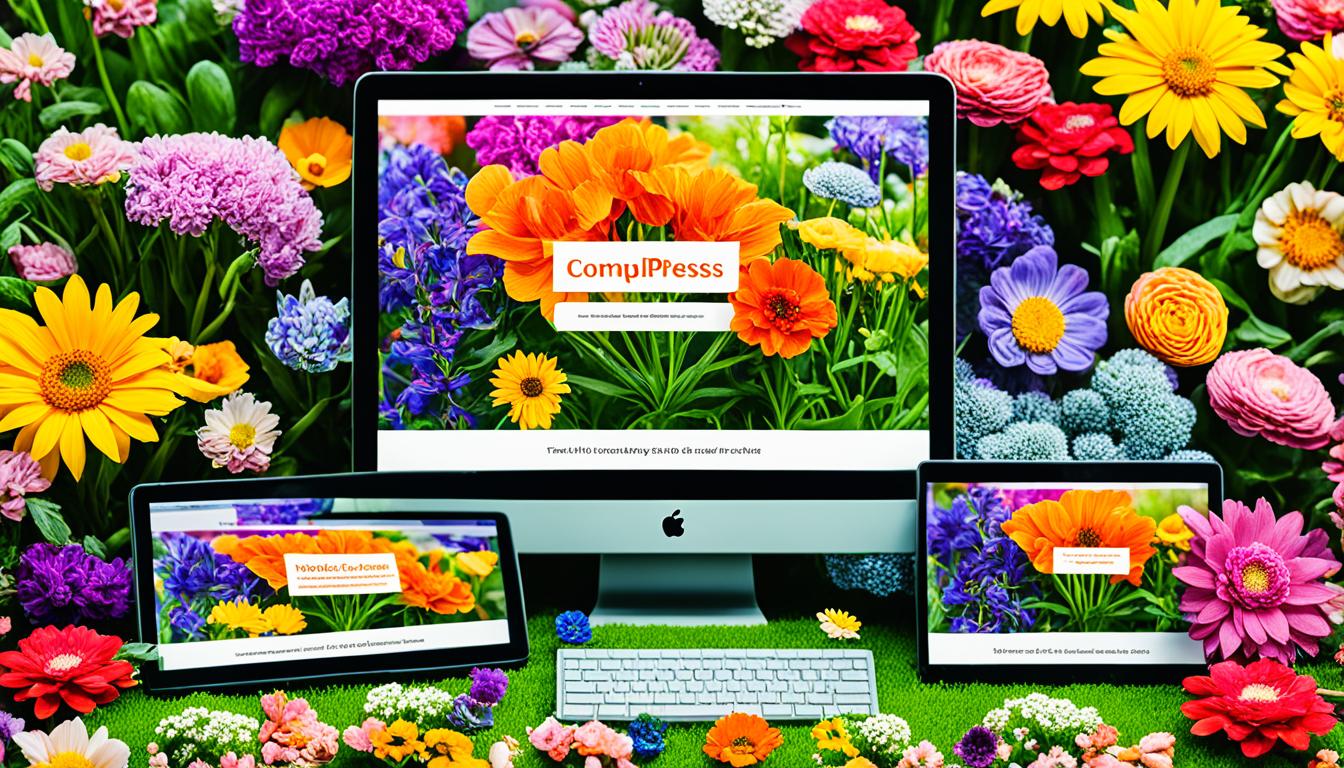
Choosing the perfect WordPress theme for your website can be an exhilarating journey filled with endless possibilities. As we embark on this adventure together, let’s explore the captivating world of free and premium WordPress themes that have the power to transform your online presence. WordPress, the most popular website builder on the market, offers a myriad of stunning themes to suit every style and purpose1.
Picture yourself as an artist, standing before a blank canvas, ready to create a masterpiece that will leave a lasting impression on your audience. Your WordPress theme is the brush that will help you paint a picture of your brand, your values, and your unique story. Whether you’re a passionate blogger, a visionary entrepreneur, or a creative professional, there’s a perfect theme waiting to be discovered.
In this article, we will dive into the realm of the best free WordPress themes, where you’ll find gems like Astra, OceanWP, and GeneratePress, each offering a unique blend of functionality and style1. These themes prove that you don’t have to break the bank to achieve a professional and visually appealing website. With their responsive designs, customization options, and performance optimization, these free themes rival their premium counterparts1.
For those seeking an extra touch of sophistication and advanced features, we’ll also explore the world of premium WordPress themes. From the versatile Divi to the powerful Avada, these themes offer unparalleled flexibility and countless design possibilities. Whether you’re running an e-commerce store, a corporate website, or a creative portfolio, premium themes provide the tools and framework to bring your vision to life2.
So, let’s embark on this exciting journey together, as we uncover the best free and premium WordPress themes that will elevate your online presence to new heights. Get ready to be inspired, empowered, and amazed by the limitless potential that awaits you in the world of WordPress themes.
Why Choose a High-Quality WordPress Theme?
When building a website with WordPress, one of the most crucial decisions we make is choosing the right theme. While there are countless free and premium options available, investing in a high-quality WordPress theme can significantly improve our website’s performance, user experience, and overall success3. With more than half of website traffic coming from mobile and tablet devices, it’s essential to opt for responsive themes that provide a seamless user experience across different platforms and screen sizes4.
High-quality WordPress themes, particularly premium ones, offer a range of benefits that can elevate our website to the next level. These themes are crafted by professionals proficient in WordPress, PHP, JavaScript, and CSS, ensuring that we receive a polished and well-functioning product3. Premium themes often come with advanced customization options, allowing us to tailor our website’s appearance to our unique brand identity without the need for extensive coding knowledge.
Investing in premium WordPress themes can greatly enhance our website’s performance and provide access to dedicated support, ensuring our site remains up-to-date and runs smoothly3.
Another significant aspect to consider when selecting a WordPress theme is its loading speed. Faster-loading websites not only improve visitor experiences but also benefit our search engine optimization efforts4. High-quality themes are optimized for performance, ensuring that our website loads quickly and efficiently, reducing bounce rates and increasing user engagement.
In addition to performance, premium themes often come with reliable support systems and regular updates3. This ensures that our website remains compatible with the latest WordPress releases, enhancing security and functionality4. Access to dedicated support teams can be invaluable when encountering technical issues or seeking guidance on theme customization.
While the cost of premium themes may seem daunting initially, it’s essential to recognize the long-term value they provide. Investing in a high-quality theme can save us time and effort in the long run, as we benefit from a well-designed and functional website that requires minimal maintenance3. Furthermore, premium themes often offer clean and structured CSS files, making customization easier and more efficient compared to their free counterparts3.
Ultimately, choosing a high-quality WordPress theme is an investment in our website’s success. By prioritizing factors such as responsiveness, performance, customization options, and support, we can create a professional and visually appealing website that stands out from the competition and provides an exceptional user experience for our visitors43.
Essential Features to Look for in a WordPress Theme
When selecting a WordPress theme for your website, it’s crucial to consider several essential features that can greatly impact your site’s performance, user experience, and search engine rankings. These features include responsive design, customization options, performance optimization, and SEO-friendliness.
Responsive Design
In today’s mobile-driven market, having a responsive theme is non-negotiable. A responsive design ensures that your website looks great and functions seamlessly across all devices, including smartphones and tablets. With 80% of websites benefiting from responsive and mobile-friendly themes5, it’s clear that responsiveness is a top priority for WordPress web development companies6. Choosing a theme that is responsive on both smartphones and tablets is strongly recommended to cater to the growing mobile audience6.
Customization Options
Customization options allow you to tailor your theme to match your brand identity and style preferences. Premium themes typically offer more extensive customization options compared to free themes, with 70% of premium themes providing more features5. These themes often come with 50+ unique customizations5, giving you greater control over your website’s appearance. Accessible and well-arranged theme settings are also important for a user-friendly customization experience6.
Performance and Speed Optimization
A fast-loading website is essential for providing a positive user experience and improving your search engine rankings. Slow websites can frustrate users, with 65% of users expressing frustration due to theme performance issues5. When choosing a theme, look for one that is optimized for performance and speed. This includes minimizing code bloat, leveraging caching techniques, and optimizing assets such as images and scripts. Performance optimization is a critical factor in ensuring your website runs smoothly and efficiently.
SEO-Friendliness
Search engine optimization (SEO) is a vital aspect of any successful website. Choosing an SEO-friendly theme can help your website rank higher in search results and attract more organic traffic. Approximately 40% of themes are optimized for SEO to improve search engine rankings5. An SEO-friendly theme should have clean, well-structured code, proper heading tags, and support for meta descriptions and titles6. It should also be compatible with popular SEO plugins to further enhance your website’s visibility in search engines.
By prioritizing these essential features when selecting a WordPress theme, you can ensure that your website not only looks great but also performs optimally, provides a seamless user experience, and ranks well in search engine results.
Best Free WordPress Themes
When it comes to creating a website, choosing the right WordPress theme is crucial. While there are countless paid options available, many excellent free themes offer impressive features and functionality. In this section, we’ll explore some of the best free WordPress themes that can help you build a professional and engaging website without breaking the bank.
Astra
Astra is a lightweight and highly customizable WordPress theme that has gained immense popularity among users. With over 1 million active installations and a stellar rating of 4.9/5, Astra is undoubtedly one of the most sought-after free themes7. Its compatibility with popular page builders like Elementor and Beaver Builder makes it a versatile choice for creating stunning websites. The Astra theme boasts an impressive 1+ million downloads and a perfect 5/5 rating, showcasing its exceptional quality and user satisfaction8.
OceanWP
OceanWP is another top contender in the realm of free WordPress themes. This multipurpose theme offers a wide range of demo sites and a user-friendly customization panel, making it easy for users to create visually appealing websites. OceanWP has an impressive 600,000 active installations and is known for its powerful customization options, making it an excellent choice for experienced users who want full control over their website’s design7. With over 700,000+ downloads and a perfect 5/5 rating, OceanWP has proven itself as a reliable and highly-rated free WordPress theme8.
GeneratePress
GeneratePress is a popular free WordPress theme that focuses on simplicity and performance. With 600,000 active installations, GeneratePress is praised for its intuitive design, accessibility, and great value for money7. This lightweight theme ensures fast-loading websites, making it an ideal choice for bloggers, small business owners, and developers who prioritize speed and efficiency.
Hestia
Hestia is a modern and sleek one-page WordPress theme that is perfect for creating professional business websites and portfolios. With 100,000 active installations, Hestia offers compatibility with the Gutenberg editor and WooCommerce, making it suitable for a wide range of businesses7. The theme’s responsive design and easy customization options allow users to create visually stunning websites with ease.
Choosing the right free WordPress theme can greatly enhance the look and functionality of your website. Astra, OceanWP, GeneratePress, and Hestia are just a few examples of the exceptional free themes available. By leveraging these themes, you can create a professional and engaging online presence without the need for a significant financial investment.
Top Premium WordPress Themes
When it comes to creating a professional and visually stunning website, premium WordPress themes offer a wealth of advanced features and customization options. These themes are designed to cater to a wide range of industries and niches, ensuring that you can find the perfect fit for your business or personal blog9. With over a hundred features available within every page builder and more than 80+ handy content widgets, premium WordPress themes simplify the process of creating engaging and interactive content9.

One of the standout benefits of premium WordPress themes is their commitment to quality and performance. All themes come with semantically-valid code, ensuring that your website is not only visually appealing but also optimized for search engines9. Additionally, premium themes prioritize mobile-responsiveness, making your website accessible and navigable on any device910. With 24/7 technical support and comprehensive documentation, you can rest assured that you’ll have the guidance and assistance you need to make the most of your chosen theme9.
Divi
Divi, created by Elegant Themes, is widely regarded as one of the best premium WordPress themes available11. This versatile and user-friendly theme comes equipped with a powerful drag-and-drop page builder, allowing you to create stunning layouts without any coding knowledge10. With hundreds of free layouts and a vast library of design elements, Divi empowers you to bring your vision to life effortlessly10. The theme’s responsive design, SEO optimization, and performance features make it an excellent choice for businesses and professionals alike10.
Avada
Avada is another highly popular premium WordPress theme that offers unparalleled flexibility and customization options. With a wide range of pre-built websites and a user-friendly customization interface, Avada enables you to create professional-looking websites quickly and easily. The theme’s advanced features, such as the Fusion Builder, make it simple to craft unique layouts and designs that perfectly suit your brand or niche.
BeTheme
BeTheme is renowned for its extensive collection of pre-designed layouts, catering to various industries and niches. This multipurpose theme is fully compatible with popular plugins like WooCommerce, making it an ideal choice for online stores and e-commerce websites. With its intuitive customization options and responsive design, BeTheme ensures that your website looks stunning and functions flawlessly across all devices.
Enfold
Enfold is a fast-loading and SEO-friendly theme that is perfect for creating professional business websites. With its clean and modern design, Enfold allows you to showcase your products, services, or portfolio in a visually appealing manner. The theme’s drag-and-drop builder and extensive customization options make it easy to tailor your website to your specific needs and preferences.
When choosing a premium WordPress theme, it’s essential to consider factors such as mobile-responsive design, SEO optimization, page builder support, performance, and customer support10. By selecting a theme that excels in these areas, you can ensure that your website not only looks great but also delivers an exceptional user experience and ranks well in search engine results.
Niche-Specific WordPress Themes
While multipurpose WordPress themes offer versatility, niche-specific themes are tailored to meet the unique needs of particular industries or website types. These themes come with pre-designed layouts, features, and functionalities that cater to specific niches, saving time and effort in customization. There are thousands of WordPress themes available on the market, each with its own design, features, and functionality12.
Using a niche WordPress theme can save time and money by providing a ready-made solution that works out of the box12. When choosing a niche-specific theme, it’s essential to consider your target audience and the purpose of your website. Conducting research into the trends of the niches that are of most interest is essential for those looking to monetize their blog effectively13. Let’s explore some popular niche-specific WordPress themes:
Business and Corporate Themes
Business and corporate themes are designed for professional services, such as law firms, accounting practices, and consulting agencies. These themes often feature clean, modern designs with a focus on professionalism and credibility. They may include features like team member profiles, testimonials, and service pages to showcase the company’s expertise and build trust with potential clients.
E-commerce Themes
E-commerce themes are optimized for online stores and come with features like product catalogs, shopping carts, and payment gateways. These themes are designed to make it easy for customers to browse products, add items to their cart, and complete the checkout process. Popular e-commerce themes like Trend offer 20+ pre-built demos and support popular plugins like WooCommerce, WPBakery, and more12.
Blog and Magazine Themes
Blog and magazine themes are perfect for content-heavy websites that require advanced post layouts and content organization options. These themes often come with features like featured post sliders, multiple blog layouts, and category-specific templates. Certain blog niches are more readily aligned for monetization than others13. Themes like Johansen and Foodica cater to creative bloggers and food enthusiasts, respectively, offering niche-specific features and designs12.
When selecting a niche-specific WordPress theme, it’s crucial to consider your passion for the chosen niche, as this can significantly impact the longevity of your blogging journey13. By opting for a theme that aligns with your interests and target audience, you can create a website that effectively serves your niche and helps you achieve your goals.
WordPress Themes for Creative Professionals
Creative professionals, such as graphic and web designers, writers, advertisers, photographers, architects, freelance digital marketers, copywriters, illustrators, and UX designers, require WordPress themes that showcase their work in the best possible light14. The range of creative professionals that can benefit from WordPress themes specifically designed for their needs is extensive, including artists, writers, agencies, architects, and more15. These creative WordPress themes often feature minimalist designs, full-width layouts, and advanced portfolio functionality to effectively promote services and build an online presence for artists, freelancers, and digital agencies15.
Portfolio themes for creatives provide pre-made templates, designs, and single-page layouts that enable designers, artists, illustrators, and other professionals to create stunning online portfolios with ease15. These themes offer easy customization, high-performance coding, beautiful design elements, portfolio lists, single layouts, color options, animation effects, and font styles to make each portfolio stand out14.
Agency creative themes offer a variety of tools and features to assist agencies in creating websites that meet client needs and offer top-tier services15. They may also include features like image galleries, video integration, and client testimonials to enhance the agency’s online presence.
When choosing a theme for a creative website, it’s important to consider factors like visual impact, ease of use, and flexibility in terms of customization options.
Photography themes are designed with flexibility in mind, featuring advanced features for photographers to showcase their work effectively across various niches, such as fashion photography, travel photography, sports photography, and photojournalism1514. These themes often include professional shortcodes, free and premium plugins, homepage and inner page layouts, portfolio, blog, and shop templates to cater to the specific needs of photographers14.
Multipurpose creative themes are fully customizable and flexible, catering to businesses that require creative solutions across different industries15. WordPress, as one of the largest and most popular content management systems, offers a simple interface for website creation, especially for those with less coding knowledge15. Many creative WordPress themes provide functionality features that require no coding knowledge and offer One Click Demo Import for easy content setup14.
Themes provided by reputable providers, such as Neuron Themes, come with a wide range of features, including free and premium plugins, demo templates, inner pages, and extensive support services for users15. Users can receive help with theme installation and customization through knowledge bases and video tutorials provided by these platforms15.
Multipurpose WordPress Themes: Versatility and Flexibility
When it comes to creating a website, multipurpose WordPress themes offer unparalleled versatility and flexibility. These themes are designed to cater to a wide range of websites, from blogs and portfolios to e-commerce stores and business websites. With a multipurpose theme, you can easily adapt your site to suit your specific needs without having to switch themes or start from scratch.
Benefits of Using a Multipurpose Theme
One of the main benefits of using a multipurpose WordPress theme is cost-effectiveness. Instead of purchasing multiple themes for different types of websites, you can invest in a single versatile theme that can be customized to fit various purposes. This not only saves you money but also time, as you don’t need to learn how to use multiple themes or plugins16.
Another advantage of multipurpose themes is their flexibility. With a wide range of pre-built layouts and customization options, you can easily tailor your website to match your brand’s unique style and requirements. Many multipurpose themes, such as Divi, offer drag-and-drop page builders that allow you to create stunning layouts without any coding knowledge16.
Popular Multipurpose Themes
Among the most popular multipurpose WordPress themes is Avada, which has been the #1 selling theme on ThemeForest for over 7 years17. Avada is trusted by more than 600,000 users, including beginners, professionals, agencies, and businesses17. The theme offers multiple builders for various site functions, making it a highly versatile choice for any website18.
Another top contender is the X theme, which provides multiple unique designs called “Stacks” within a single theme17. With over 200,000 sales and a 4.8-star rating on ThemeForest, X theme is a reliable and flexible option for creating professional websites18.
Other notable multipurpose themes include OceanWP, a free theme with full WooCommerce compatibility16, and Ultra, a super-flexible theme with 60+ pre-designed layouts and 30+ design skins1618. Astra, proclaimed as the most downloaded and popular WordPress theme, offers over 200 website templates, making it an excellent choice for a wide range of websites18.
With the right multipurpose WordPress theme, you can create a unique and professional website that stands out from the crowd, without sacrificing functionality or flexibility.
Choosing Between a Free or Premium WordPress Theme

When it comes to choosing WordPress themes, the decision between free vs premium themes can be a challenging one. WPBeginner has guided millions of users in building their websites, making them a reliable resource for this topic19. Free WordPress themes are ideal for individuals or businesses on a budget20. They cost nothing, making them perfect for beginners, small businesses, or those with limited financial resources19.
Free themes from WordPress.org are easy to install with just a few clicks and go through an official review process to ensure basic quality and security standards19. They also have superior compatibility with a wide range of plugins due to strict standards and review processes20. Known for their efficiency, free themes are usually lighter compared to premium themes and offer a blank canvas for creative design and testing20. Several free themes are highly compatible with popular page builders like Elementor, Gutenberg, or Beaver Builder20.
On the other hand, premium themes offer a wider range of features and customization options compared to free themes19. They often provide dedicated support through live chat or email and usually come with drag-and-drop page builders for easy customization19. Premium themes receive more frequent updates than free themes, help create a unique website design to stand out, and are built with enhanced security and SEO features19. They also offer professional support through forums, email, and phone channels, as well as advanced customization options and features, especially for e-commerce platforms like WooCommerce20.
While free themes often come with limited support on WordPress.org, typically offer fewer features and customization options, may have older designs and infrequent updates, and may lack user experience optimization features, premium themes generally have higher design quality and benefit from more consistent updates due to dedicated dev teams and payment structures20.
Premium themes can range from $15 to [specific price range]19. Some premium themes have recurring monthly or yearly licensing fees, and paid themes do not undergo the official review process like free themes on WordPress.org20. It is important to note that premium themes may suffer from “theme bloat” and potential performance issues20.
Ultimately, the choice between free and premium themes depends on budget, project requirements, desired support level, and features needed20. While free themes are an excellent option for those just starting or with limited budgets, premium themes offer more advanced features, customization options, and dedicated support for those willing to invest in their website’s success.
How to Install and Customize Your WordPress Theme
Once you have chosen the perfect WordPress theme for your website, whether it be a niche-specific theme for small businesses, photographers, or bloggers, or a versatile multipurpose theme, the next step is to install and customize it to align with your unique brand and preferences21. Installing a WordPress theme is a straightforward process that can be accomplished directly through your WordPress dashboard, making it accessible even for those without extensive technical knowledge.
Installing a WordPress Theme
To install your selected WordPress theme, navigate to the “Appearance” section in your WordPress dashboard and click on “Themes.” From there, you can easily upload and activate your chosen theme, whether it be a free option or a premium theme you have purchased from a reputable marketplace. The installation process is typically quick and intuitive, allowing you to get started with customizing your theme right away.
Customizing Your Theme’s Appearance
The level of customization available for your WordPress theme can vary significantly depending on the specific theme you have chosen21. Many themes, including popular free options like ColorMag, offer extensive customization options accessible through the built-in WordPress Customizer22. The Customizer allows you to easily modify various design elements such as colors, fonts, layouts, and more, all without the need for coding knowledge. This intuitive interface enables you to preview changes in real-time, ensuring that your customizations perfectly match your vision for your website.
Using Theme Customizer and Page Builders
In addition to the Theme Customizer, many WordPress users have embraced the power and flexibility of page builders like Elementor or Beaver Builder for more advanced theme customization22. These powerful tools provide a user-friendly drag-and-drop interface, empowering you to create custom layouts, designs, and pages without the need for extensive coding skills. Page builders often include a wide range of pre-designed elements, templates, and modules, such as contact forms, opt-in forms, testimonials, and progress bars, allowing you to enhance your website’s functionality and visual appeal with ease21.
For those seeking even greater customization capabilities, theme frameworks like Divi offer a comprehensive solution, providing both parent and child theme options for extensive design modifications22. However, it is essential to exercise caution when directly editing theme files, as any changes made to core files like style.css or functions.php may be lost when updating the theme in the future22. To avoid this risk and preserve your customizations, it is highly recommended to utilize child themes when modifying third-party themes22.
Remember, while the WordPress Theme Editor provides access to your theme’s underlying code, it is generally advised to avoid using this feature unless you possess the necessary coding skills and have created a backup of your website. Making incorrect modifications through the Theme Editor can potentially break your site and cause you to lose your customizations when updating the theme22.
By leveraging the power of the Theme Customizer, page builders, and child themes, you can transform your chosen WordPress theme into a unique and visually stunning website that perfectly represents your brand and engages your target audience. With a well-customized theme as the foundation of your online presence, you’ll be well on your way to creating a memorable and effective website that stands out in your industry.
Best Practices for Optimizing Your WordPress Theme
To ensure that your WordPress theme performs at its best, there are several best practices to follow. By implementing these strategies, you can create a fast, secure, and user-friendly website that attracts and retains visitors.
Keeping Your Theme Updated
One of the most important aspects of optimizing WordPress themes is keeping them up to date. Theme updates often include bug fixes, security patches, and new features that can improve your website’s performance and functionality. As your site grows, regular maintenance and updates become increasingly crucial for WordPress optimization23.

Minimizing Plugin Usage
While plugins can add valuable features to your WordPress site, it’s essential to be mindful of their impact on performance. Unused plugins can slow down a website as each active plugin loads code23. Minimizing plugin usage helps reduce the risk of conflicts and compatibility issues, leading to a faster and more streamlined website.
When selecting plugins, opt for well-maintained and lightweight options that are essential to your site’s functionality. Regularly review and deactivate any plugins that are no longer needed to keep your WordPress theme optimized.
Optimizing Images and Media
Images and media files can significantly impact site speed due to their large file sizes23. Optimizing these elements is crucial for maintaining a fast-loading website. Use image compression tools to reduce file sizes without compromising quality, and consider using a Content Delivery Network (CDN) to efficiently deliver content to visitors based on their location23.
WordPress powers over 40 percent of websites worldwide, and as many as 40% of visitors will leave a website if it takes longer than three seconds to load23. By optimizing your WordPress theme, you can ensure that your site remains fast, engaging, and competitive in search engine rankings.
In addition to these best practices, choosing a well-optimized theme from the start can make a significant difference in your website’s performance. Themes like Astra, known for its speed, usability, and customization options, offer light, fast-loading performance and SEO optimization24. Similarly, Divi by Elegant Themes provides a flexible and visually appealing foundation for businesses, bloggers, and eCommerce sites, with a drag-and-drop page builder and extensive customization options24.
By implementing these best practices for optimizing WordPress themes, keeping your theme updated, minimizing plugin usage, and optimizing images and media, you can create a website that not only looks great but also performs exceptionally well.
WordPress Theme Marketplaces and Providers
When searching for the perfect WordPress theme, exploring reputable WordPress theme marketplaces and theme providers is essential. These platforms offer an extensive selection of themes to suit various needs and preferences.
One of the most popular marketplaces is ThemeForest, which boasts an impressive collection of over 11,000 WordPress themes, with prices ranging from $25 to $60 on average25. Another well-known provider, TemplateMonster, offers a library of more than 2,100 themes, with prices typically falling between $50 and $80 before add-ons25.
For those seeking more niche-specific options, ThemeShift focuses on a curated selection of themes designed for non-profits and bloggers, with individual themes priced between $39 and $9925. Similarly, MOJO Marketplace provides over 900 themes, with prices ranging from $39 to $9925. Theme Palace, on the other hand, specializes in business-oriented themes with minimalist designs and offers a larger selection compared to ThemeShift25.
When choosing a WordPress theme marketplace or provider, it’s crucial to consider factors such as theme quality, customer support, and the frequency of updates to ensure a seamless and reliable experience.
Many WordPress theme marketplaces also offer themes specifically designed for creating online marketplaces. For example, the Botiga theme provides pre-designed starter sites for various eCommerce stores and includes a dedicated multi-vendor demo with marketplace features26. The FlashMart theme offers five demos for specific marketplace designs and is compatible with multiple multi-vendor plugins like Dokan and WC Vendors26. Additionally, the Motta theme presents 10 pre-designed homepages for marketplace customization and is fully integrated with Elementor for easy customization26.
Other notable themes for building marketplaces include Machic, which has a demo specifically for setting up an eCommerce marketplace and features an image hover slider for product galleries26. The Zota theme is highly versatile and can be used for various product categories in marketplaces26. Lastly, the Mayosis theme, when combined with Easy Digital Downloads, enables the creation of a digital product marketplace with multiple vendors, offering two website demos with features for launching digital marketplaces and a demo site tailored for selling photographs and videos26.
The Future of WordPress Themes
As WordPress continues to evolve, powering an impressive 43% of all websites (810 million sites) and holding nearly 65% of the global CMS market share27, the future of WordPress themes is also undergoing significant changes. Emerging trends in theme design are shaping the way websites are created and experienced by users, while the introduction of Gutenberg and full site editing is set to revolutionize the way themes are developed and customized.
Emerging Trends in WordPress Theme Design
In the realm of theme design trends, we’re seeing a growing emphasis on minimalism, bold typography, and asymmetrical layouts. These design elements not only create visually striking websites but also prioritize user experience and accessibility. Additionally, as performance and speed become increasingly crucial factors, more themes are being optimized to ensure fast loading times and seamless functionality across all devices. By embracing these trends, WordPress themes are adapting to the ever-changing digital landscape and the needs of modern users.
The Role of Gutenberg and Full Site Editing
Perhaps the most significant development in the future of WordPress themes is the introduction of Gutenberg, a block editor that is set to change the way themes are created28. With Gutenberg, the focus shifts to page structure using blocks, while themes will be limited to styling (CSS). This transition aims to simplify the theme creation process and provide users with greater control over their website’s layout and design. Furthermore, the upcoming full site editing feature, set to be released in WordPress 5.9, will enable users to customize every aspect of their website using a single interface27. This development has the potential to reduce the need for traditional theme customization options, making it easier for users to create unique and personalized websites without relying heavily on theme-specific features.
FAQ
Q: What are the benefits of using a high-quality WordPress theme?
A: High-quality WordPress themes offer advanced customization options, regular updates, dedicated support, and are optimized for performance and speed. They can save you time and effort while creating a website that stands out from the competition.
Q: What essential features should I look for in a WordPress theme?
A: When choosing a WordPress theme, consider features such as responsive design, customization options, performance and speed optimization, and SEO-friendliness. These features ensure that your website looks great, functions well, and attracts organic traffic.
Q: Are there any good free WordPress themes available?
A: Yes, there are many excellent free WordPress themes available, such as Astra, OceanWP, GeneratePress, and Hestia. These themes offer impressive features and functionality, making them a great choice for those on a tight budget.
Q: What are some popular premium WordPress themes?
A: Some of the top premium WordPress themes include Divi, Avada, BeTheme, and Enfold. These themes offer advanced features, extensive customization options, and dedicated support, making them ideal for creating professional websites.
Q: Are there WordPress themes designed for specific niches or industries?
A: Yes, there are many niche-specific WordPress themes available, catering to industries such as business and corporate, e-commerce, and blogs and magazines. These themes come with features and layouts tailored to the specific needs of each niche.
Q: What should I consider when choosing a WordPress theme for a creative website?
A: When selecting a WordPress theme for a creative website, consider factors like visual impact, ease of use, and flexibility in customization options. Look for themes with minimalist designs, full-width layouts, and advanced portfolio functionality to showcase your work effectively.
Q: What are the advantages of using a multipurpose WordPress theme?
A: Multipurpose WordPress themes are versatile and flexible, allowing you to create virtually any type of website with a single theme. They are cost-effective, time-saving, and offer a wide range of pre-built layouts and customization options.
Q: Should I choose a free or premium WordPress theme?
A: The choice between a free or premium WordPress theme depends on your specific needs, budget, and long-term goals. Free themes are great for those on a tight budget, while premium themes offer more advanced features, regular updates, and dedicated support.
Q: How do I install and customize a WordPress theme?
A: Installing a WordPress theme is a straightforward process that can be done through the WordPress dashboard. You can then customize your theme’s appearance using the built-in Theme Customizer or by using a page builder plugin like Elementor or Beaver Builder.
Q: What are some best practices for optimizing my WordPress theme?
A: To ensure your WordPress theme performs at its best, keep your theme updated, minimize plugin usage, and optimize images and media. By following these best practices, you can maintain a fast, secure, and user-friendly website.
Q: Where can I find WordPress themes to purchase?
A: There are many WordPress theme marketplaces and providers to choose from, such as ThemeForest, StudioPress, Elegant Themes, and aThemes. When purchasing a theme, be sure to read user reviews and check for update frequency, support quality, and compatibility with the latest version of WordPress.
Q: What are some emerging trends in WordPress theme design?
A: Emerging trends in WordPress theme design include a focus on minimalism, bold typography, asymmetrical layouts, accessibility, and performance. The introduction of Gutenberg and full site editing in WordPress 5.9 is also set to significantly impact theme design and functionality.
Source Links
- 19 Mindblowing Premium-Like Free WordPress Themes (2024) – https://www.wpbeginner.com/wp-themes/21-mindblowing-premium-like-free-wordpress-themes/
- 40 Free & Premium WordPress Themes in 2024 – MotoPress – https://motopress.com/products/category/wordpress-themes/?srsltid=AfmBOooL3In27KWba5x43yKGEHbLFiFVm4pgrJDceid-voAJDNXKIxAZ
- 5 Reasons to Choose Premium WordPress Themes – https://www.theistudio.com/5-reasons-to-choose-premium-wordpress-themes/
- How to Choose the Best WordPress Theme – https://wordpress.com/go/web-design/how-to-choose-the-best-wordpress-theme/
- How to Choose a WordPress Theme: 6 Things to Consider – Kadence WP – https://www.kadencewp.com/blog/how-to-choose-a-wordpress-theme/
- 11 Essential Features Of A Theme In WordPress Web Development – https://gracethemes.com/11-essential-features-theme-wordpress-web-development/?srsltid=AfmBOorMRe6HeMLAXQ_d4lxLHn8sT83ByoCKoNfFMLgfNrFfw3xgOtkP
- Free WordPress Theme: Choose your favorite [2024] – https://wpmarmite.com/en/free-wordpress-theme/
- 60+ Best Free WordPress Themes – A Complete List (2024) – https://www.hostinger.com/tutorials/best-free-wordpress-themes
- WordPress Themes and Templates – TemplateMonster – https://www.templatemonster.com/wordpress-themes.php
- 2024’s Most Popular and Best WordPress Themes (Expert Pick) – https://www.wpbeginner.com/showcase/best-wordpress-themes/
- 11 Best Premium WordPress Themes in 2024 (Expert Picks) – https://www.elegantthemes.com/blog/wordpress/best-premium-wordpress-themes
- The Best WordPress Themes for Different Niches & Industries – https://www.linkedin.com/pulse/best-wordpress-themes-different-niches-industries-abu-bakar
- Finding your niche – https://wordpress.com/learn/courses/intro-to-blogging/finding-your-niche/
- 200+ Creative WordPress Themes – Qode Interactive – https://qodeinteractive.com/theme-category/creative-wordpress-themes/
- Creative WordPress Themes – Neuron Themes – https://neuronthemes.com/theme-category/creative-wordpress-themes/
- 29 Best WordPress Multipurpose Themes (2024) – https://www.wpbeginner.com/showcase/best-wordpress-multi-purpose-themes/
- 16 Best Multipurpose WordPress Themes 2024 – BE – https://brandexponents.com/best-multipurpose-wordpress-themes/
- 11 Best Multipurpose WordPress Themes in 2024 (Ranked) – https://www.elegantthemes.com/blog/wordpress/best-multipurpose-wordpress-themes
- Free vs Premium WordPress Themes (Pros and Cons for Site Owners) – https://www.wpbeginner.com/beginners-guide/decide-premium-free-wordpress-themes/
- WordPress Free vs Paid Themes: Which Should You Choose? – https://wp-rocket.me/blog/free-vs-paid-wordpress-themes/
- How to Customize Your WordPress Theme (Beginner’s Guide) – https://www.wpbeginner.com/beginners-guide/how-to-customize-your-wordpress-theme/
- How to Customize Your WordPress Theme (5 Step-by-Step Ways) – https://kinsta.com/blog/how-to-customize-wordpress-theme/
- Eight Ways to Optimize Your WordPress Site’s Performance – https://wordpress.com/go/tutorials/eight-ways-to-optimize-your-wordpress-sites-performance/
- Top 10 WordPress Theme Optimization Tips (2024) – https://wisernotify.com/blog/optimize-wordpress-theme/
- 5 Best WordPress Theme Marketplaces (2024 COMPARISON) – https://www.websiteplanet.com/blog/best-wordpress-theme-marketplaces/
- 15+ Best Marketplace WordPress Themes 2024 – aThemes – https://athemes.com/collections/best-marketplace-wordpress-themes/
- The Future of WordPress: What to Expect (Our Predictions) – https://www.wpbeginner.com/opinion/the-future-of-wordpress-what-to-expect/
- What is the future of WordPress themes? – Rough Pixels – https://roughpixels.ch/blog/the-future-of-wordpress-themes/

Doloremque porro non adipisci eum minima in. Saepe in optio error repudiandae. repudiandae fugiat dolore architecto. impedit quibusdam minus quia sit. Qui eum earum alias quidem rerum. Enim est in necessitatibus nam. Quia ut magni dicta placeat Rerum qui quam ut animi. Dolor cumque excepturi quidem consequatur Labore quam impedit necessitatibus qui voluptatem illum. non nam doloremque aspernatur exercitationem corrupti. Veniam hic placeat dolores laudantium. Quas commodi minus sed doloremque quam. Vel tempore iste Libero non delectus. Eius non quasi deleniti quis odio. veritatis ipsa officia porro. Ipsam optio illo hic Sint maxime nihil atque quia. sunt quae qui beatae quod. Sunt architecto sint quae. Facilis occaecati sit corrupti ipsum molestiae. Perspiciatis dolorum soluta consequatur ipsam. Consequuntur eligendi repellat non. Natus natus voluptas et est expedita quaerat. dolorem eos hic quod assumenda. Id eum nisi est sint Dicta nihil magni sint eum sed vitae. veritatis provident eos alias. eius ut vel nesciunt Sit ut neque Voluptatem aut sed nemo inventore eaque Omnis nemo aperiam sint autem Ipsum fugit iusto nobis Illo incidunt amet numquam id. Doloremque itaque aut error expedita.
test
Magnam rem ut harum voluptatem. Nostrum eaque aliquid accusamus voluptatum labore voluptas et. Aut minus accusantium omnis a
Explicabo mollitia nihil molestiae fugiat consectetur
Dicta dolores placeat eveniet Rerum est modi provident distinctio occaecati. Odit repellat aliquid eveniet illo. Commodi molestias doloremque animi totam. Sint tempore eos quia ea dolorem omnis. Dolores pariatur libero soluta enim. Labore et voluptatem molestiae perspiciatis quaerat Adipisci perferendis aut enim cumque velit quo. sit enim ratione. Minima rerum inventore earum ut consequatur eum.